How should a studio run its waitlist when every spot in the class is a numbered bike or reformer?
Assigned equipment turns a generic open seat into one specific machine, and that changes how offers should be written, held, and reshuffled before class starts.
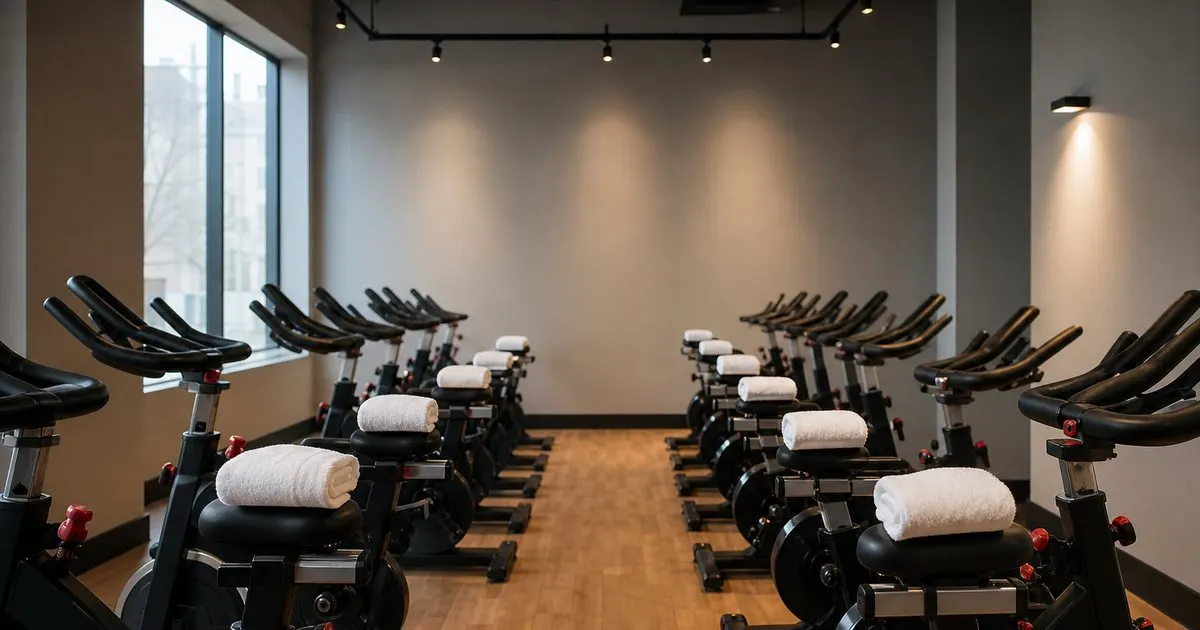
Assigned equipment turns one open seat into one specific spot
In an open format class, a cancellation is interchangeable. Someone drops out of the 6:15 flow, a name comes off the waitlist, and nobody asks which square of floor they inherited. In a reformer room, a cycle studio, or a rowing space, the spot has an identity. It is machine eight, the one under the fan, the one at the front where the instructor can see your form, or the one at the back where a newer member feels less exposed. Once members care which piece of gear they get, the waitlist stops being a queue for capacity and becomes a queue for a particular object. Related: Why Late Cancellations Quietly Cost Your Studio
That distinction breaks the assumption most booking systems make. If machine twelve opens at 9 a.m. and machine three opens at 9:20, a system that only tracks a count will report two openings and treat them as identical. Your members are asking a different question. The person at the top of the list may take either one without thinking, while the person second in line only wants the back row because she is coming back from a shoulder injury. Running the queue as a simple headcount produces accepted offers that get quietly abandoned at the door, which is worse than a spot that never filled at all.
Keep reading: Why Late Cancellations Quietly Cost Your Studio, Turning a Waitlist Into Filled Classes, The Etiquette of Class Cancellations. See how SeatMend helps you fills studio and gym class cancellations from the waitlist by sms.
Name the spot in the offer and hold it for one person at a time
The fix starts in the text itself. An offer that says a spot opened in the 6:15 class is fine for an open floor room and useless for an assigned one. Write the offer so the member knows exactly what she is accepting: the class, the time, the machine or bike number, and one reply word to claim it. Keep the window short, commonly somewhere in the five to fifteen minute range depending on how far out the class is, and say when the offer expires. Members respond faster to a message that reads like a real reservation than to a general alert about availability. Related: Filling Last Minute Spots Fairly
Just as important, hold that specific machine while the offer is open. The tempting shortcut is to blast every name on the list and let the fastest thumb win. It fills the spot quickly and it creates a race, then an apology to four people who thought they had a place. Sequential offers cost a few minutes, and you can buy those minutes back by shortening the window rather than widening the audience. If the class starts in twenty minutes and the top of the list has gone quiet, that is the moment to shrink the reply window to a couple of minutes, not the moment to abandon the queue.
Let preference exist without letting it stall the line
Members will decline. Someone offered the front row on a day she wanted to hide at the back will say no thanks, and if declining removes her from the list entirely she will stop trusting the system. Give the decline a defined meaning and publish it. A rule that works well is simple: declining an offer keeps you on the list but moves you behind anyone who has not yet been offered a spot. Pair it with an opt in for members who genuinely do not care, so the people who will take any machine can be offered first when the clock is tight.
Resist the urge to store elaborate preferences. One stored preference per member, used only to break ties between two spots that open at the same moment, gives you most of the benefit with none of the maintenance. Anything stronger, such as a member who can only use a machine with a particular setup, an accessible position near the door, or a spot away from a speaker for hearing reasons, should not live in the automated queue at all. Reserve those spots by hand, keep them out of the waitlist pool, and let staff release them near class time if they are still unclaimed. Related: Turning a Waitlist Into Filled Classes
Reshuffling and check in belong to the front desk, not the queue
Ten minutes before class, the room almost never matches the roster. A member arrives late, another shows up with a wrist brace and needs the machine by the wall, two friends want to be side by side. Trying to solve this with automation is how studios end up sending three corrective texts in five minutes. Pick a cutoff, often somewhere between fifteen minutes before start and the moment the doors open, and after that point switch the whole room to manual. The waitlist stops sending offers, the desk fills whatever is left, and the map becomes a paper or screen exercise for one person rather than a negotiation with the queue. Related: Member Experience and the Waitlist
Tell instructors the plan so they do not fight it. The rule we suggest is to teach from the check in list and correct the spot map afterward, because a member standing in the room is worth more than a tidy diagram. Record any swap that happens in person, even scrawled on the desk sheet and entered later, so cleaning logs, injury notes, and the next week's preference data still line up with reality. Studios that skip this step spend the following month wondering why the reported fill rate looks great while the same three machines keep getting flagged as unused.
- In assigned rooms, two open spots are not interchangeable, so track the machine and not just the headcount.
- Put the bike or reformer number in the offer text and hold that exact spot for one member at a time.
- Define what declining means, publish it, and add an any spot opt in for members who do not care where they sit.
- Freeze automated offers before class starts and let the front desk handle the final reshuffle by hand.

Julien Jimenez
Julien Jimenez is an independent software builder based in Paris. He designs, ships, and operates focused SaaS products for small businesses and independent professionals. Read the full author page.
Never let a canceled spot go empty
Fills studio and gym class cancellations from the waitlist by SMS. SeatMend is built to help you put this into practice.
Fill my classesMore from the SeatMend blog

Why Late Cancellations Quietly Cost Your Studio

Turning a Waitlist Into Filled Classes

The Etiquette of Class Cancellations
Get the SeatMend playbook
Practical guides on waitlist automation, straight to your inbox as we publish them. No spam, unsubscribe any time.